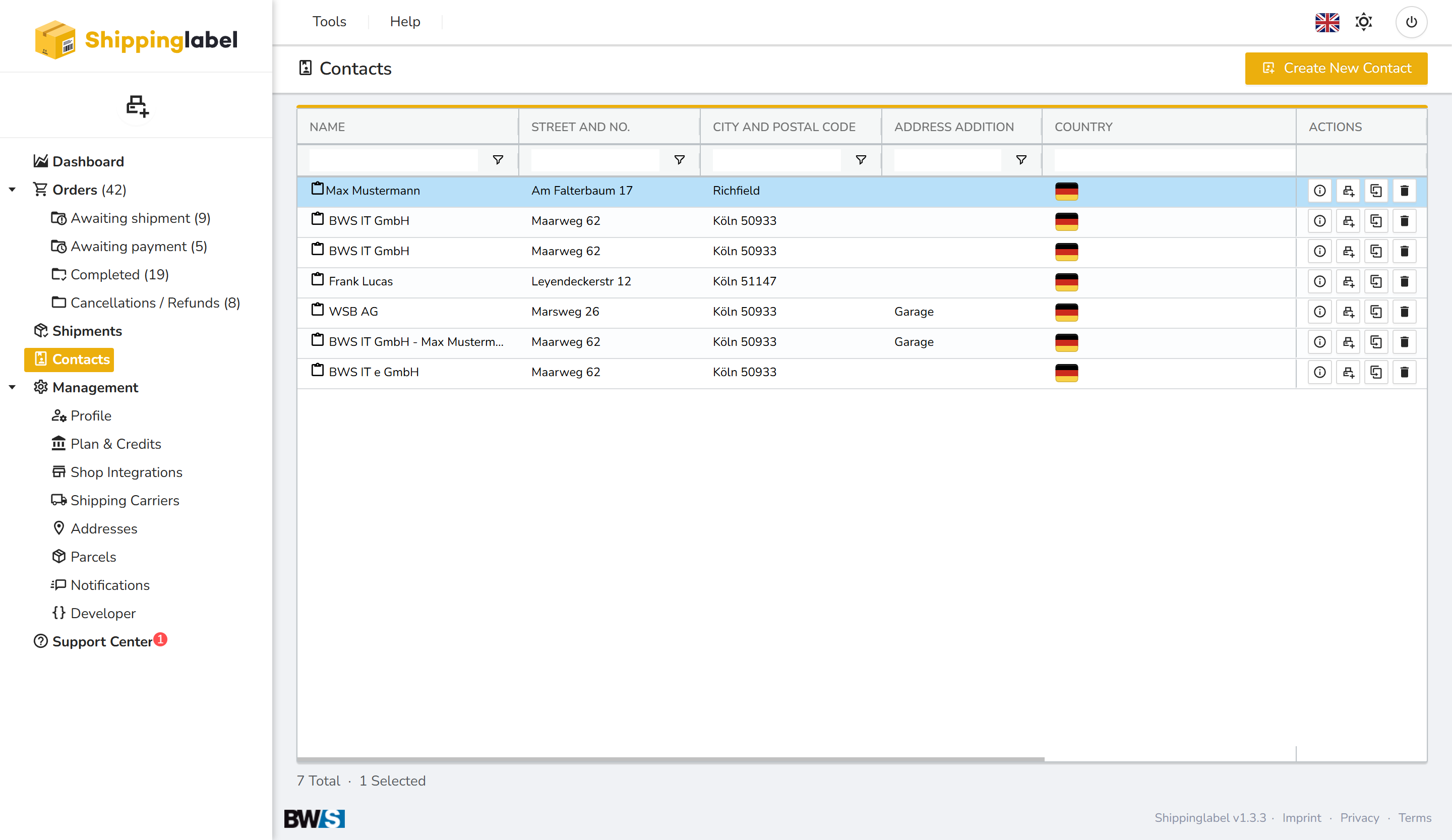
In the Contacts section, you can manage your saved addresses and recipient details.
All existing contacts are clearly listed, and you have the option to add new ones.
When creating a shipment, you can quickly select from your saved contacts — saving time and reducing the risk of errors.
Creating New Contacts
To add a new contact, click the yellow New Contact button in the top right.
A form will open where you can enter all the required details.
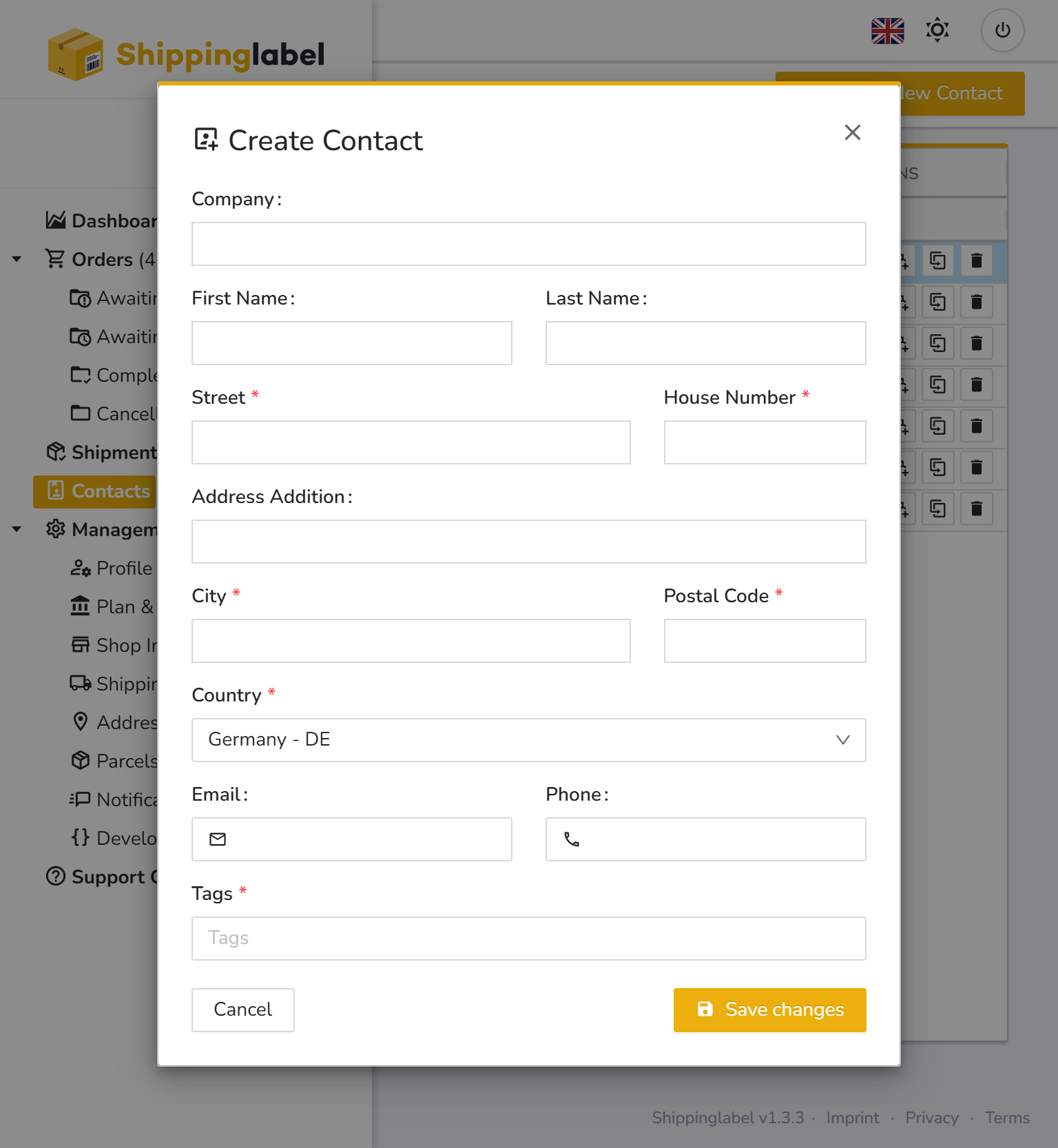
After filling in the information, click Save changes to store the contact.
Using Saved Contacts
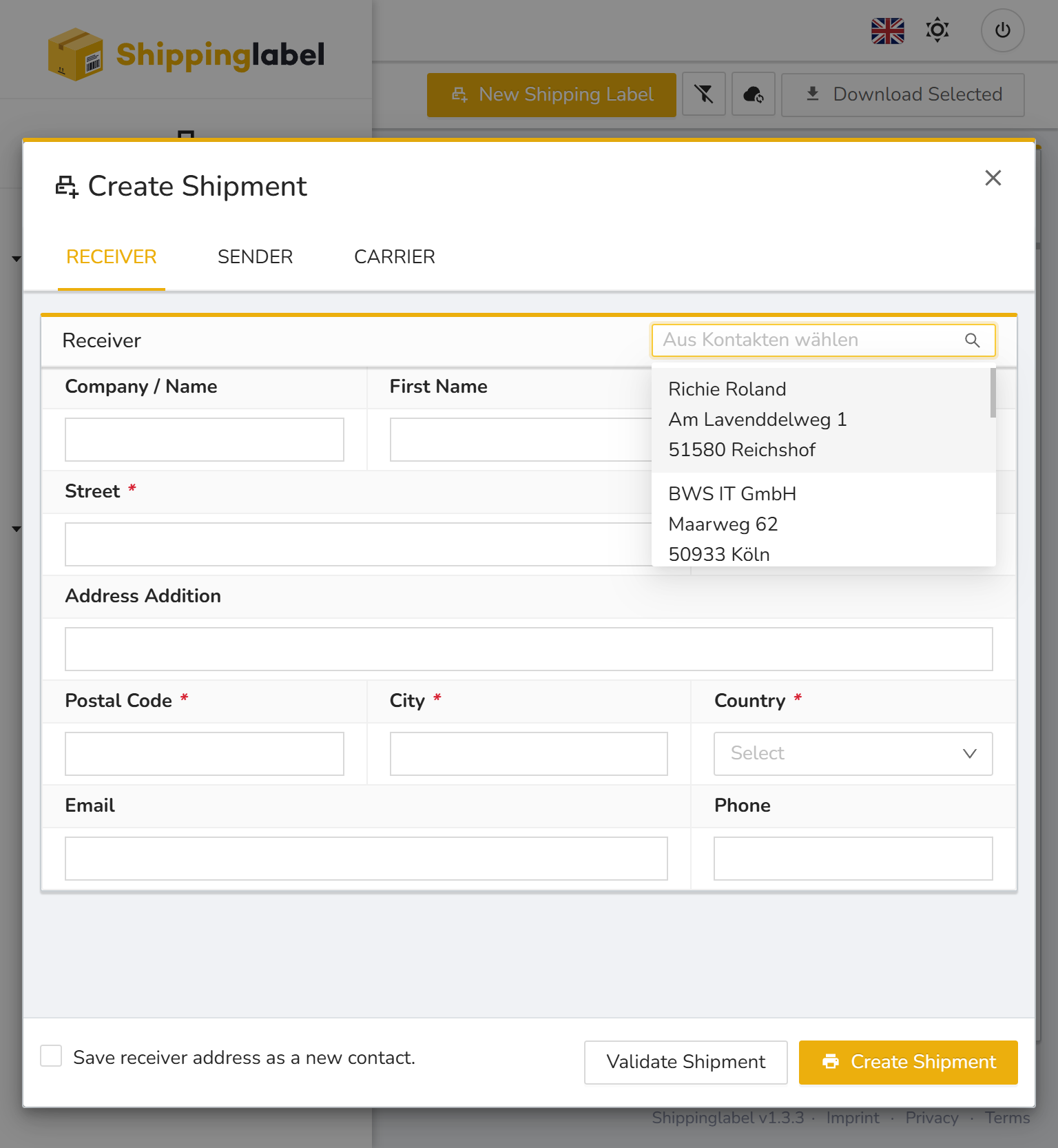
When creating a new shipment, you’ll find a dropdown menu in the Receiver tab.
There, you can choose from your existing contacts. Once selected, the data will automatically be filled into the form.
Saving a Receiver Address as a Contact
If you enter the recipient data manually in the shipment form and want to reuse it later, you can save it as a contact.
To do this, check the box Save receiver address as a new contact at the bottom left of the form.