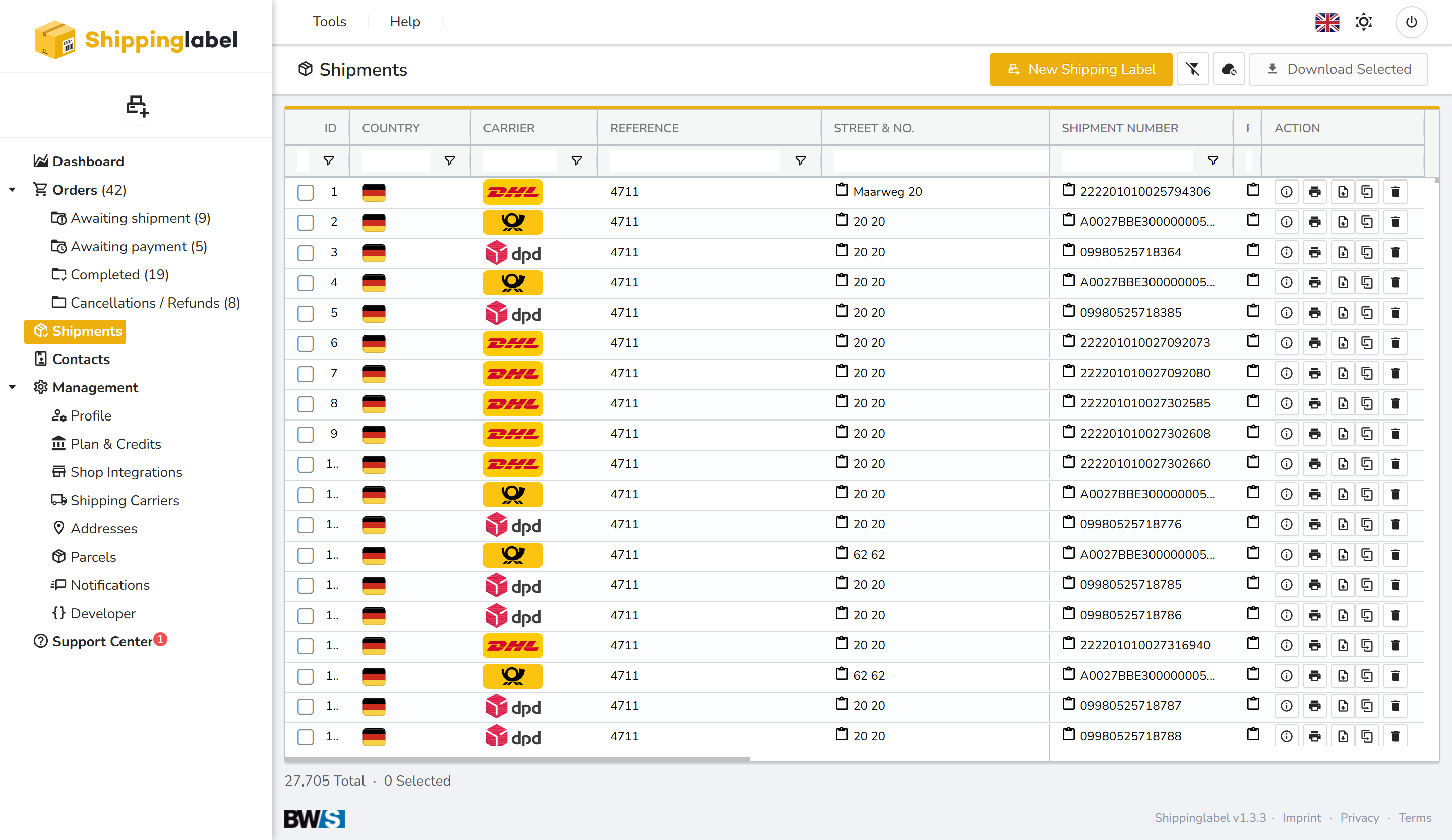
In the Shipments section, you will find an overview of all shipments you have created.
Here you can review past shipments, check their shipping status, and view shipment details as needed. You can also create new shipments directly from this view.
Creating a Shipment
To create a new shipment, click the New Shipping Label button at the top right or use the Tools menu to select Create Shipping Label.
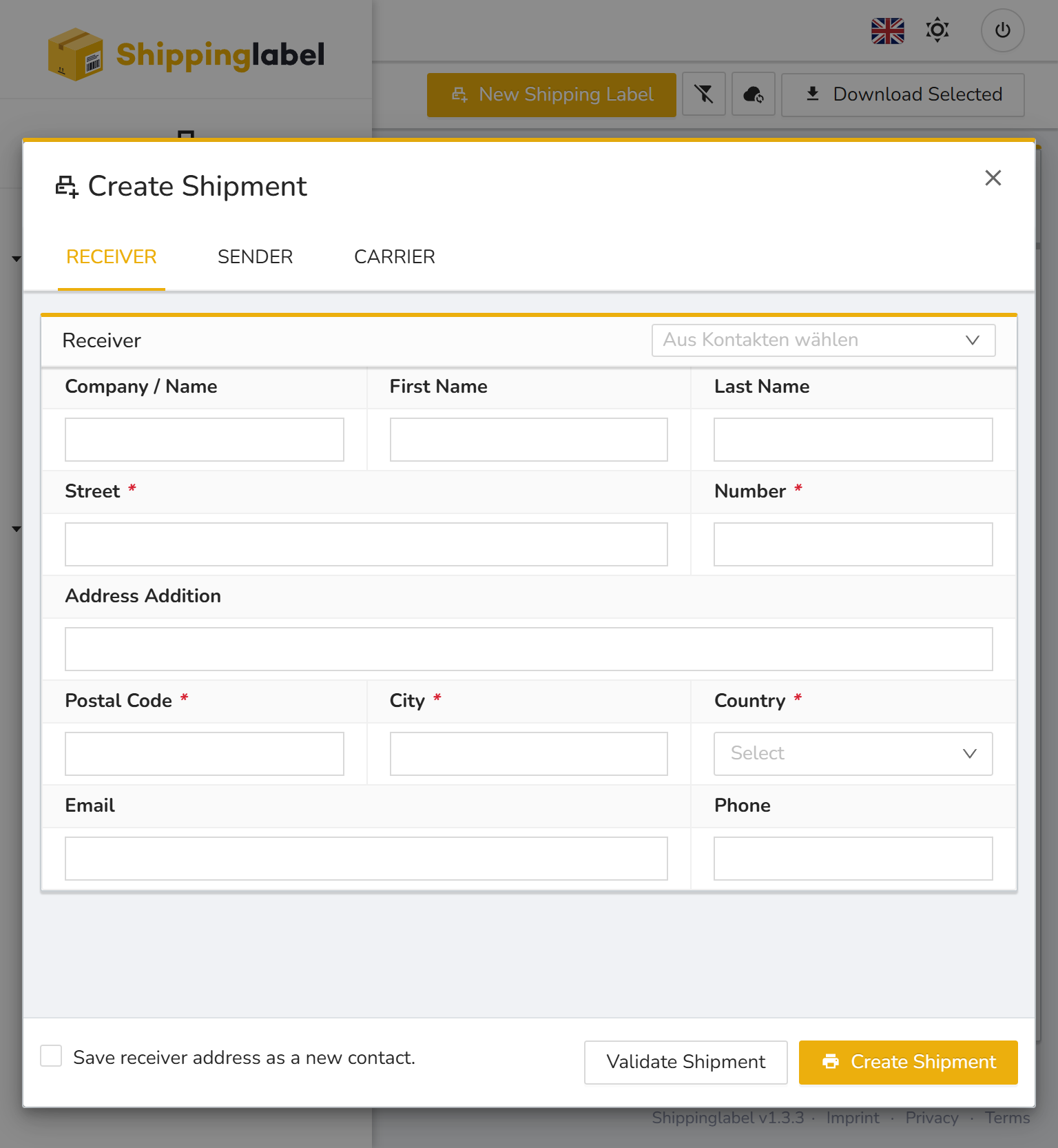
1. Receiver
Enter the recipient’s address information.
You can also select an existing contact from your saved contacts list at the top right.
✅ If you enter a new recipient manually, you can choose to save the address by checking Save receiver address as a new contact at the bottom.
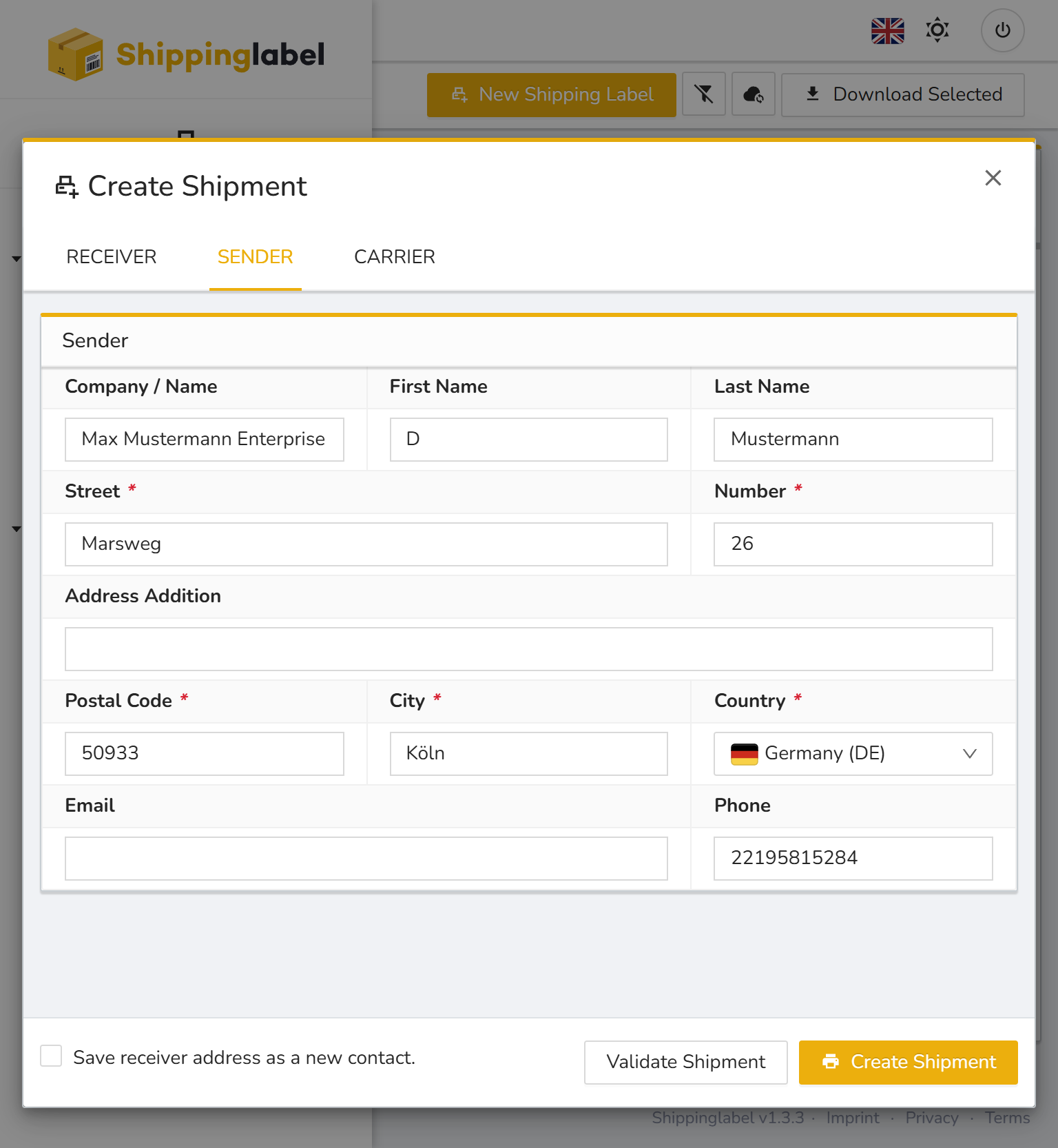
2. Sender
Your own company information is automatically pre-filled in the Sender tab.
If necessary, you can adjust the data manually.
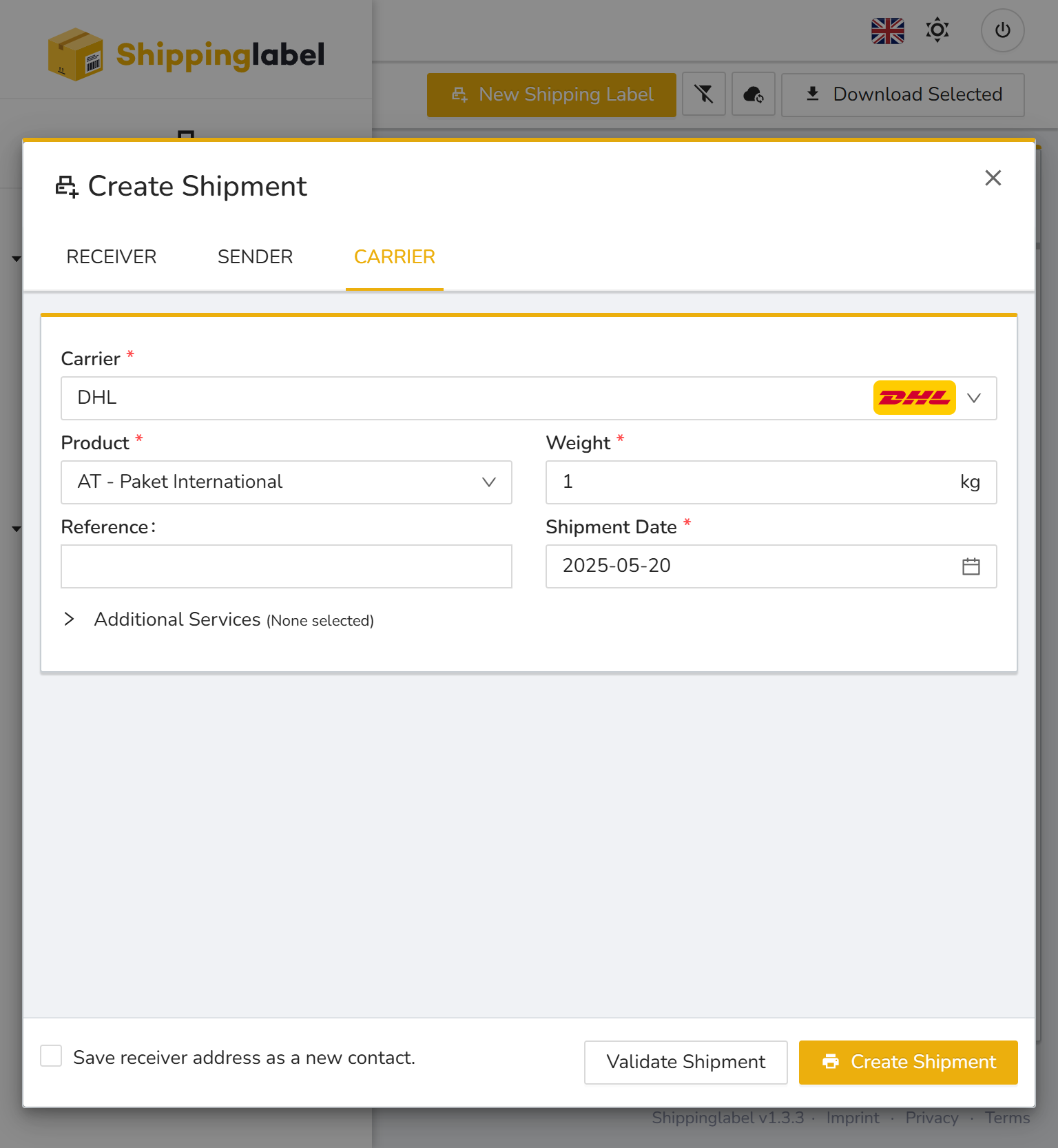
3. Carrier
Select the desired Carrier from your available shipping providers.
Then specify:
- Product / Service type (e.g. DHL Paket International)
- Weight of the shipment
- Optional: Reference
- Shipment Date
Additional services can be selected depending on the carrier.