In the Cancellations / Refunds section, you will find all orders that have been canceled, refunded, or otherwise marked as terminated.
These orders are no longer processed and will not appear under Awaiting Shipment or Completed.
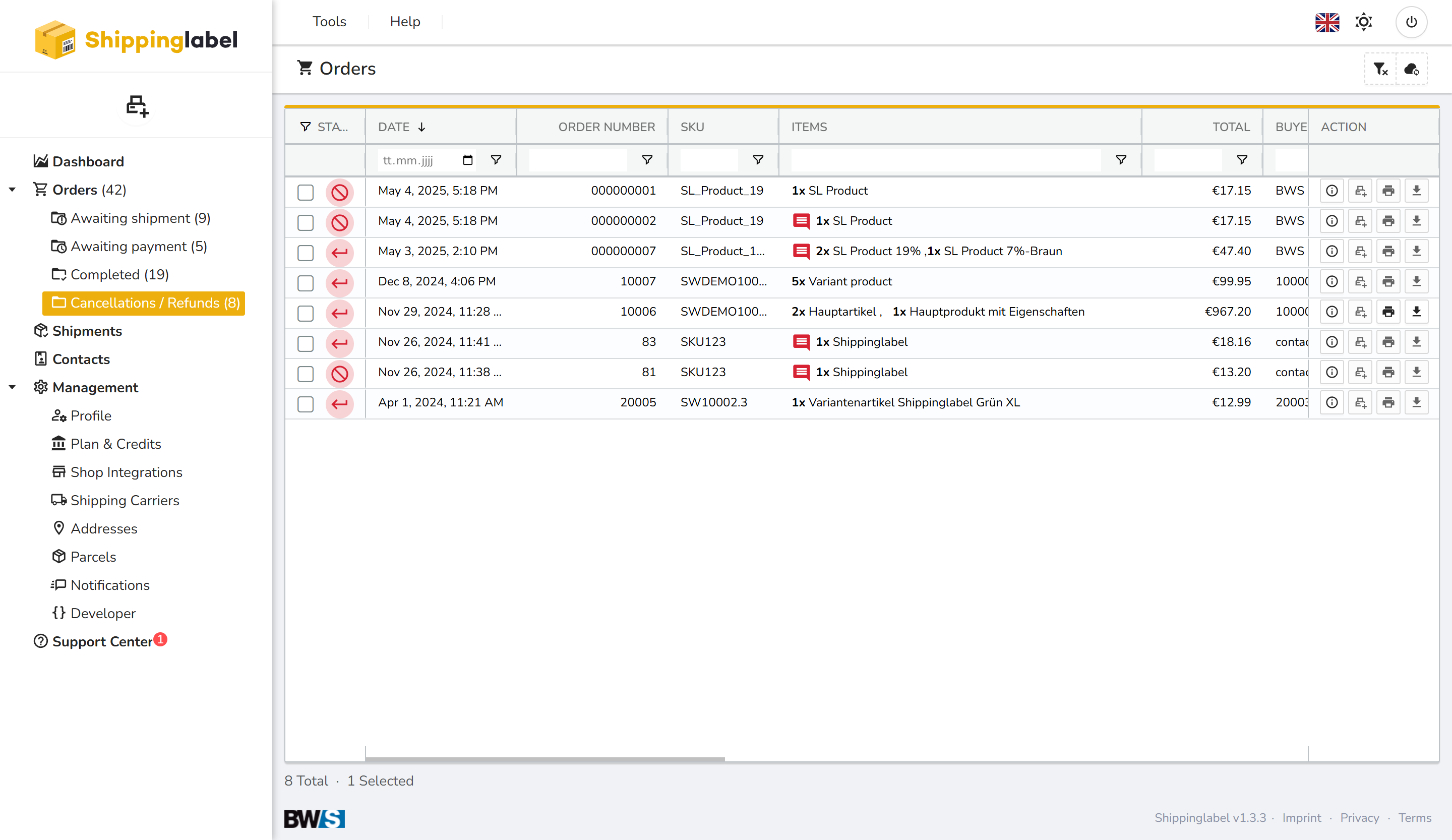
The table includes the order number, item overview, total amount, and red status indicators.
You can access additional information via the action menu on the right-hand side.
Viewing a Canceled Order
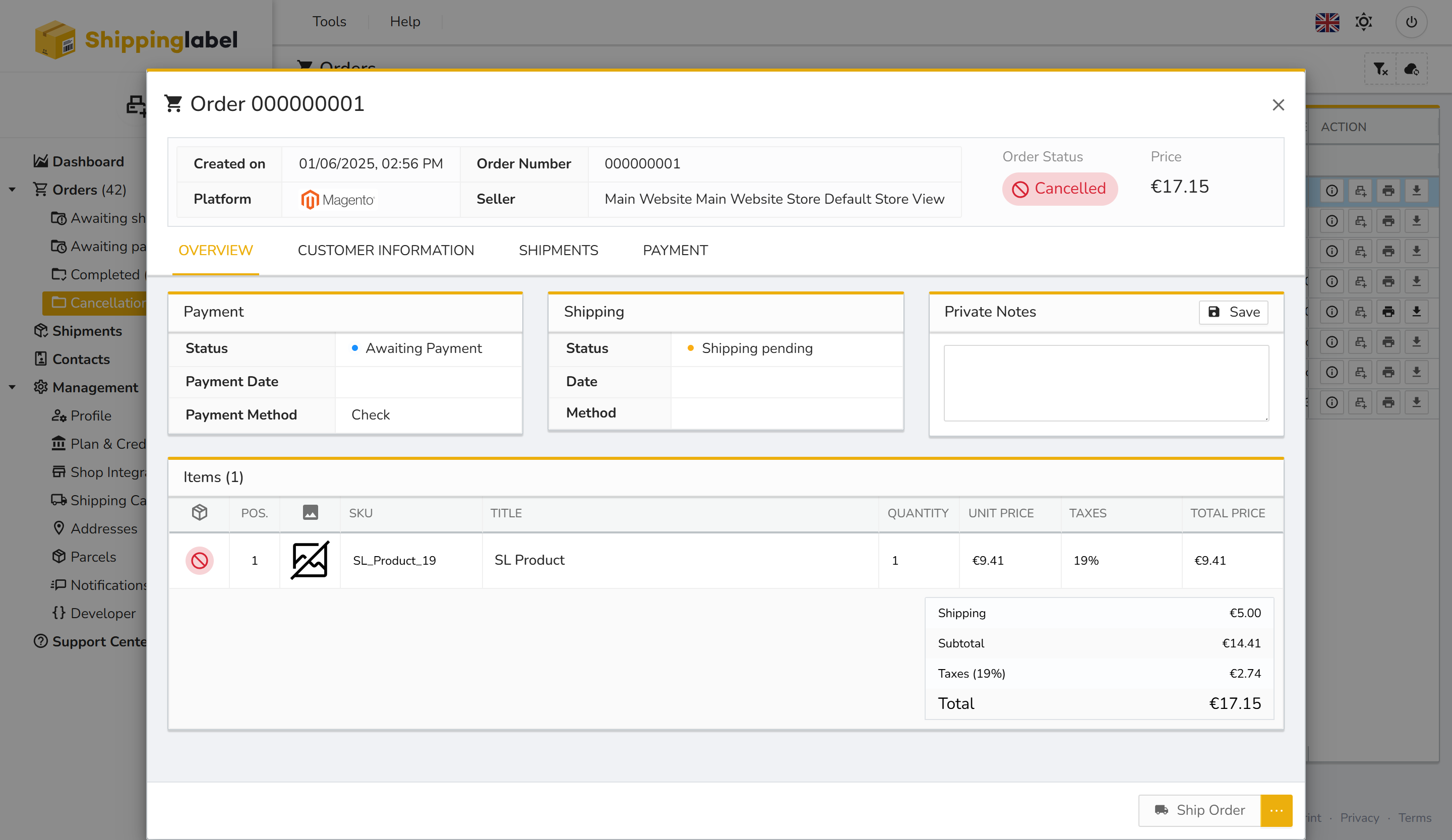
Clicking the Show details icon or double-clicking on an entry opens the full order overview. This includes:
- Order Status: Canceled
- Payment Status: e.g. Awaiting Payment
- Shipping Status: e.g. Shipping pending
- Item and payment information
Orders in this section cannot be edited or shipped. The Ship Order button is disabled.
Canceled orders may be created manually, result from refunds processed via external platforms, or be triggered by automated system rules.
They are listed here for documentation and traceability, especially for accounting or reporting purposes.