In the Completed section, you will find all orders for which both payment and shipping have been successfully completed.
This overview serves primarily for tracking purposes, control, and for downloading labels or invoices when needed.
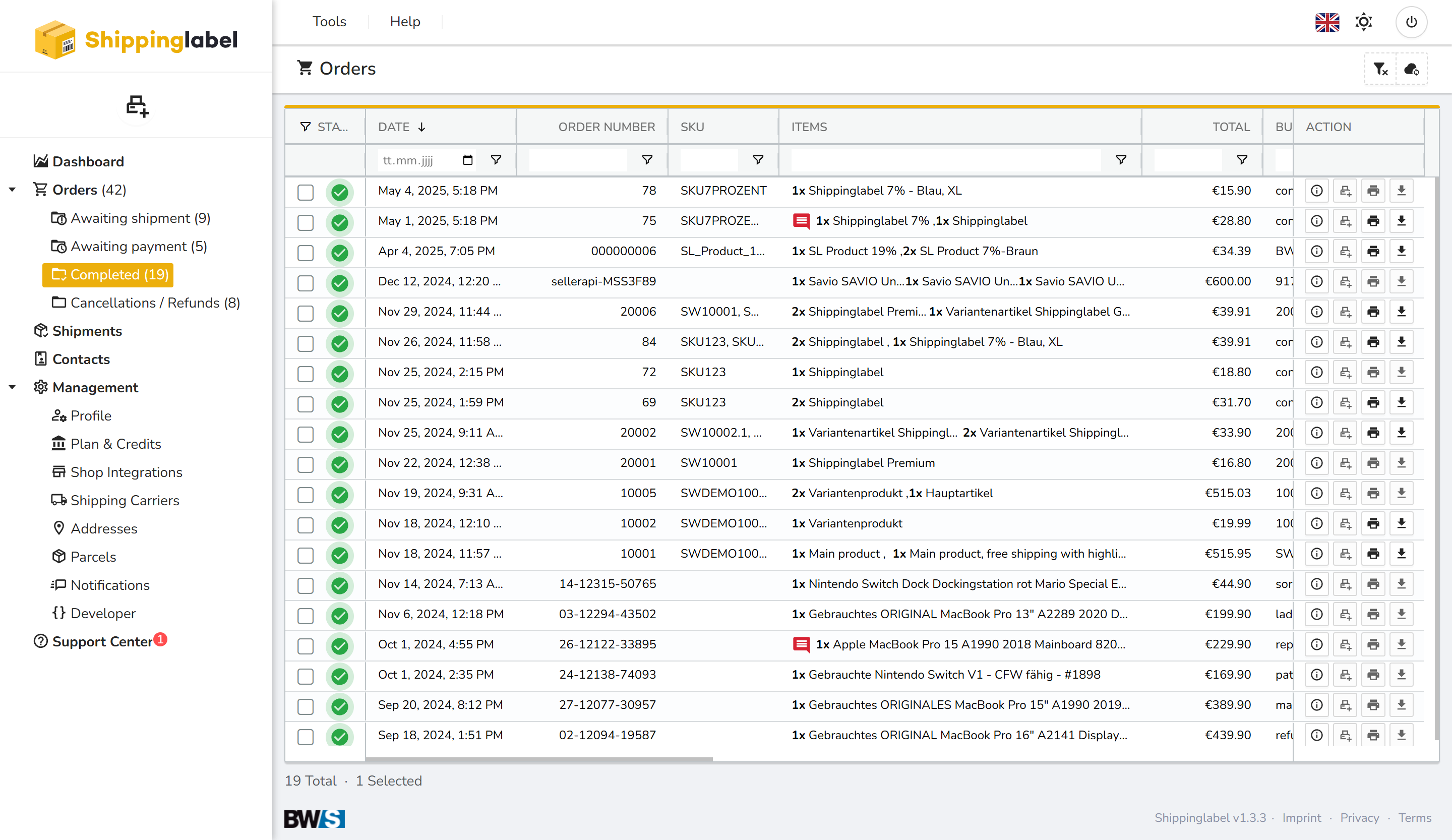
The table displays all relevant order information, including order number, items, total amount, and current status.
As usual, the action icons on the right let you:
- View order details
- Print or download labels
- Access shipping documents
Viewing a Completed Order
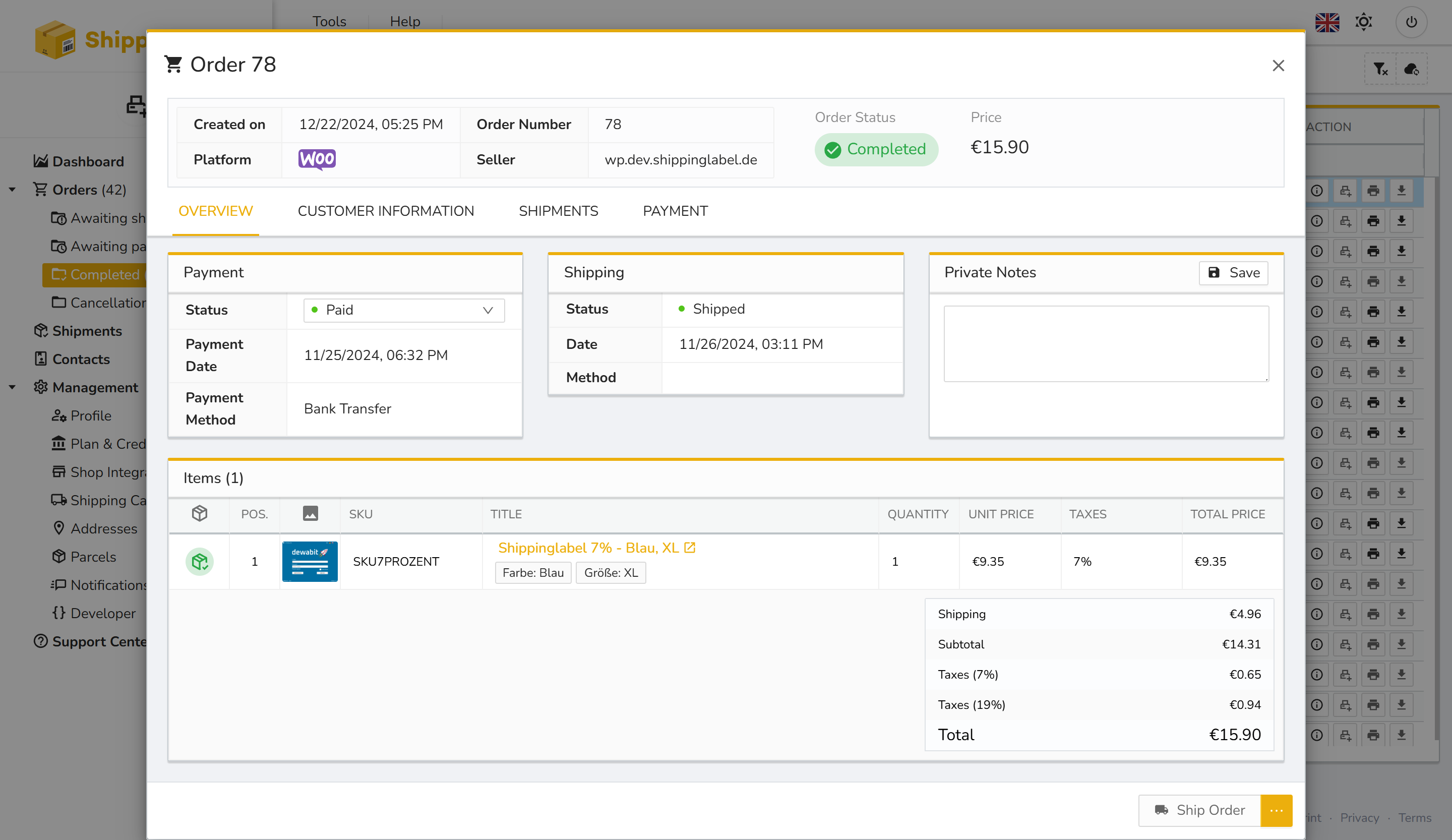
Clicking the Show details icon opens the order overview. Here you can view:
- Payment status: Paid
- Shipping status: Shipped
- Order date, platform, and seller
- Items, discounts, tax information, and total amount