In the Parcels section, you can create and manage parcel profiles for commonly used shipping formats. These profiles help speed up shipment creation, reduce manual input errors, and ensure consistency in your shipping data.
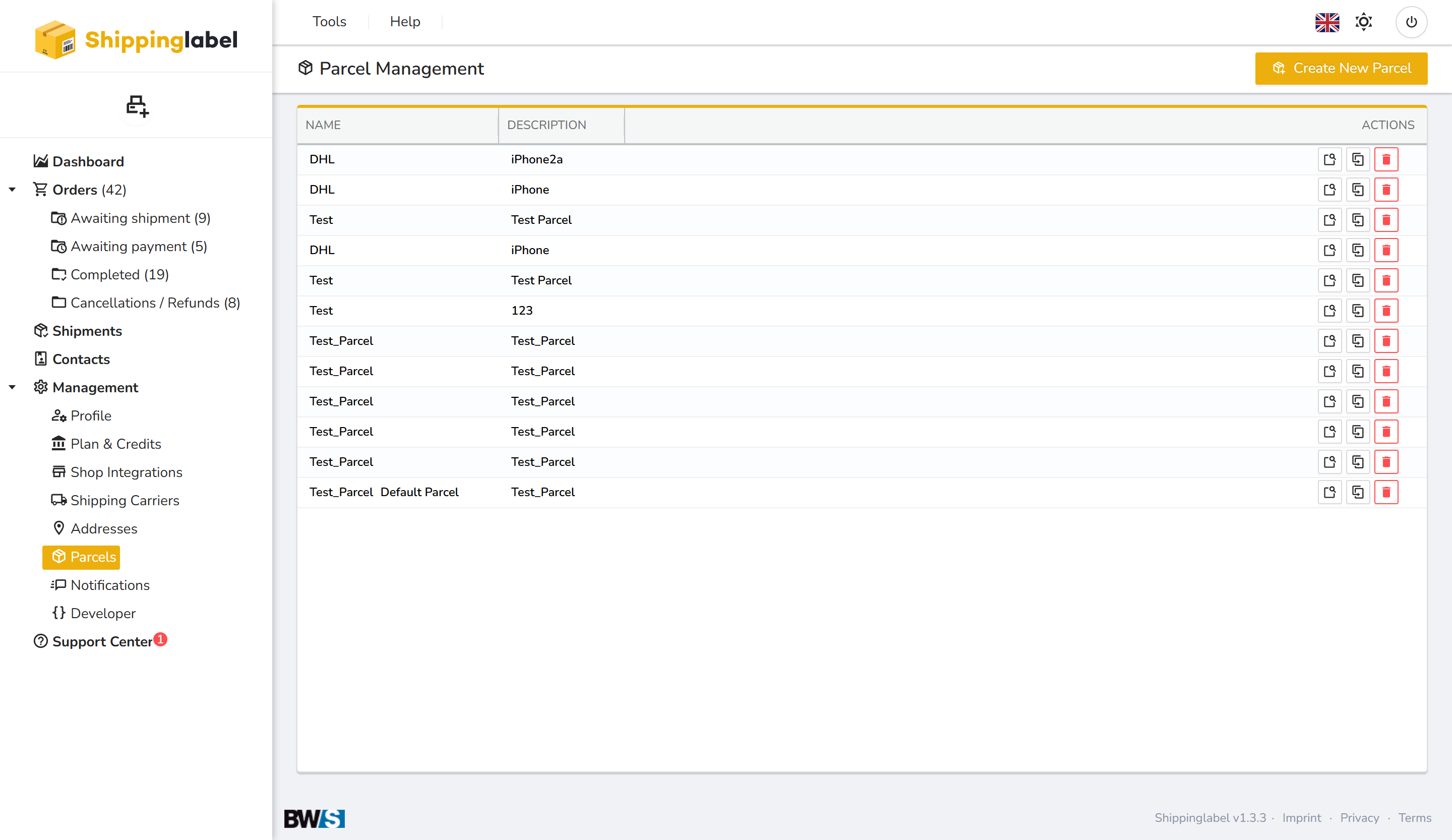
What are parcel profiles?
A parcel profile contains the typical dimensions and properties of a package you use regularly—such as "Standard Box", "DHL Parcel M", or "iPhone Shipping Box". When selected during shipment creation, the saved data is applied automatically.
Parcel overview
The main list displays all parcel profiles you have created. Each row includes:
| Column | Description |
|---|---|
| Name | Custom name for the parcel profile |
| Description | Additional information or usage context |
| Actions | Options to view details, duplicate, or delete the parcel profile |
How to create a new parcel profile
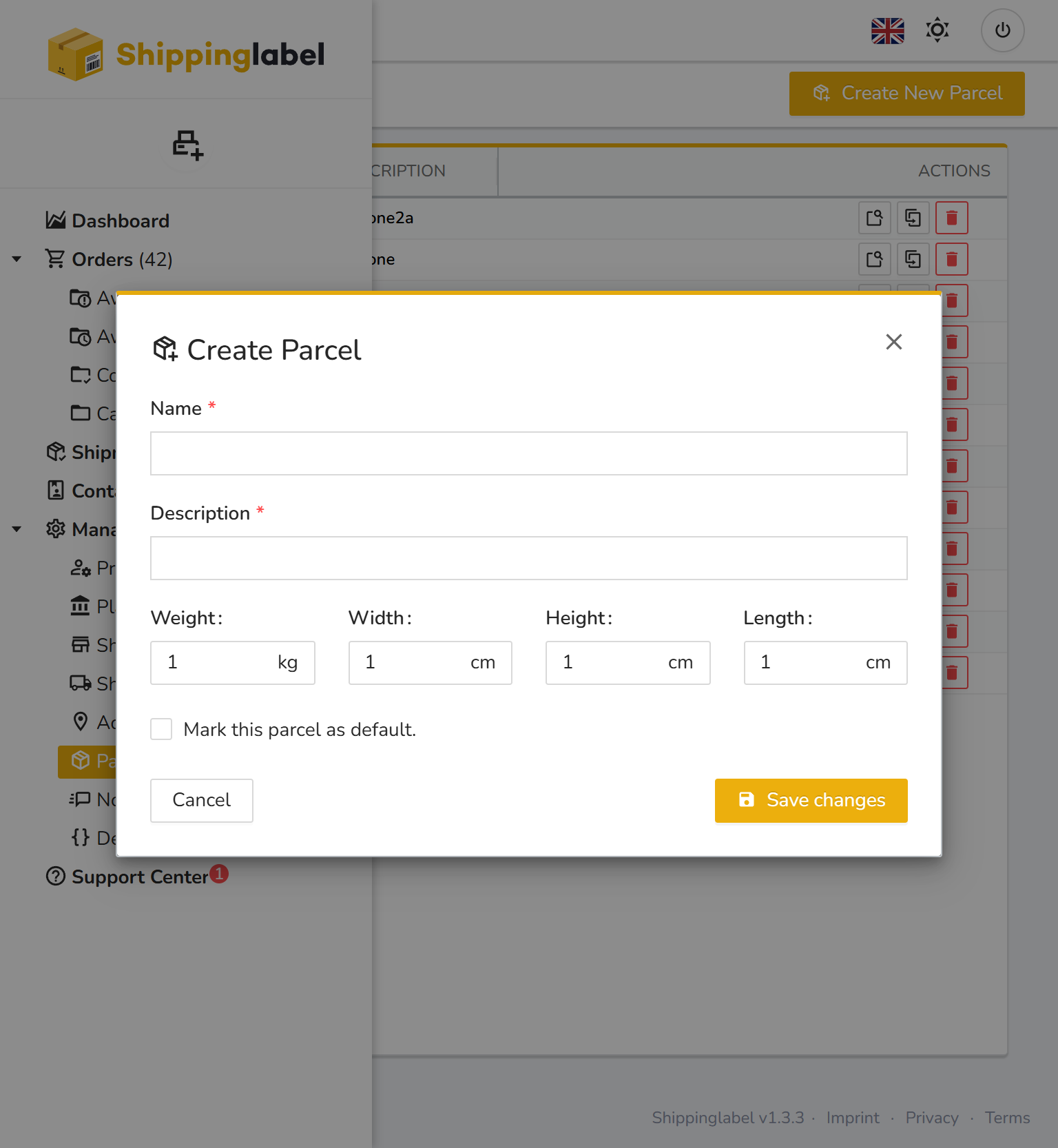
- Click Create New Parcel in the upper right corner.
- Enter the required details:
- Name
- Dimensions: Length, Width, Height (in cm)
- Weight (in kg)
- Optional: Description
- Optionally mark it as the default parcel.
- Click Save changes.
Tips for using parcel profiles
- Set up profiles for all standard package sizes you use.
- Use descriptive names like “Small Standard Box” or “DHL Large Letter” for easy recognition.
- You can also reference parcel profiles via the API for streamlined, automated workflows.