Shippinglabel allows you to centrally manage your shipping operations—whether you're working with DHL, GLS, Hermes, Deutsche Post or other carriers. To enable this, you first need to connect your carrier account to your Shippinglabel platform.
This page provides an overview of what the Shipping Carriers section offers and how to proceed.
What is a carrier connection?
Connecting a carrier means linking Shippinglabel with the system of a shipping provider (e.g., DHL, DPD, Hermes). Once connected, you can:
- Create and print shipping labels directly
- Track shipments
- Select products and parcel formats
- Automatically synchronize data between shop, carrier, and customer
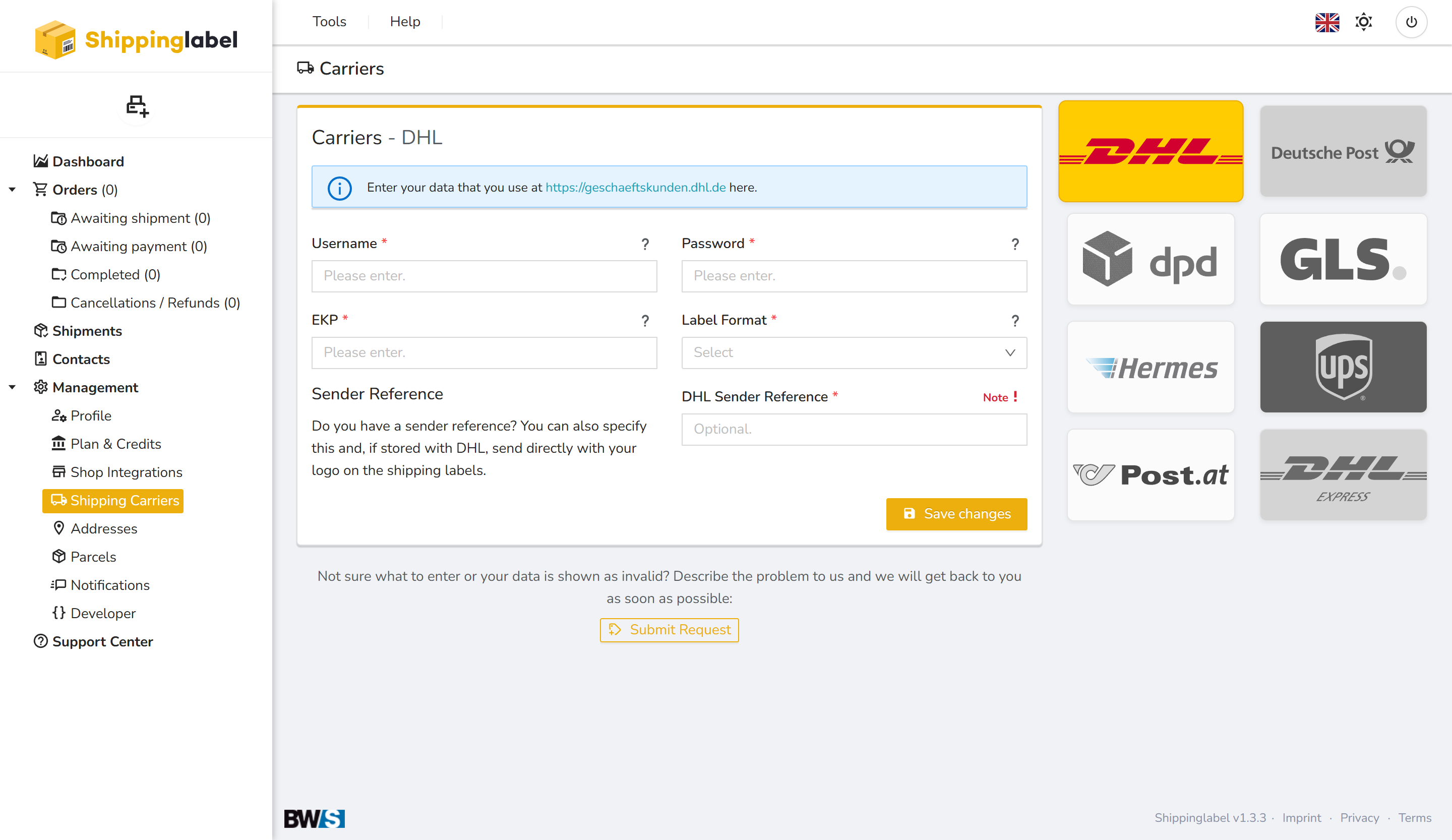
Step-by-step setup
- Select your carrier
Choose the shipping provider from the list (e.g., DHL, GLS, Hermes). - Enter your credentials
Depending on the carrier, you may need to enter login credentials, tokens, or API keys.
→ Most of this information is provided by the carrier or your account manager. - Select product & label format
Choose your standard shipping product (e.g., standard letter, medium parcel) and the appropriate label format. - Test and save the connection
You can test the setup and save your configuration at any time. - Done – start shipping
Once the connection is active, you can manage all shipments directly from Shippinglabel.
Available carriers at a glance
- DHL
- Deutsche Post (Portokasse)
- DPD
- GLS (ShipIT)
- Hermes
- UPS
- Post.at
- DHL Express
Questions or issues?
If something is unclear or not working as expected during the setup, use the Submit Request button within the interface or contact our support team directly.