To create DHL Express shipments using Shippinglabel, you must link your business account with the DHL Express Global Webservices. This guide shows you how to enter your credentials and set up the connection correctly.
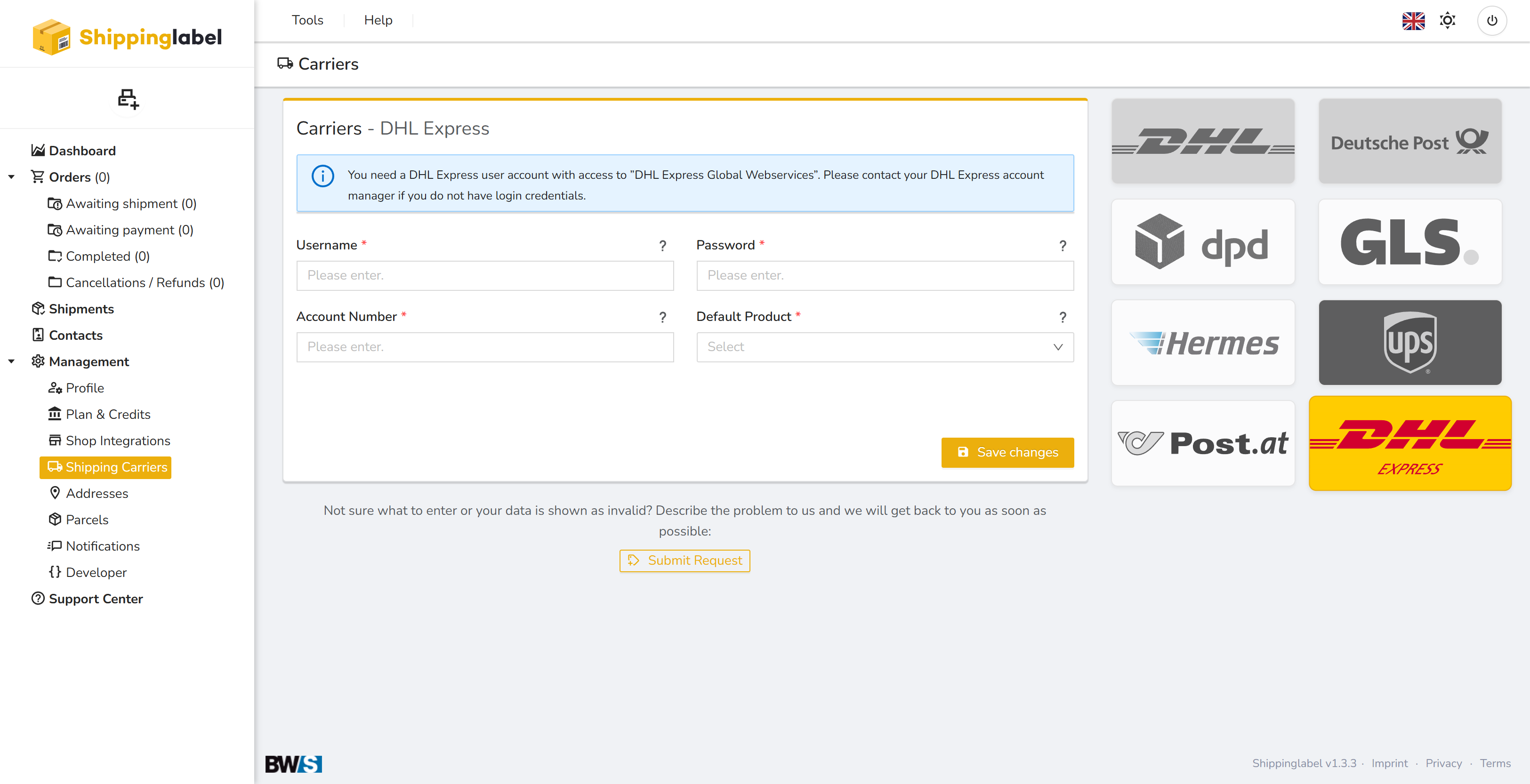
Requirements
Before you begin, make sure you have:
- An active DHL Express business account
- Access to the DHL Express Global Webservices
If you do not yet have credentials, please contact your DHL Express account manager.
You will need the following information:
| Field | Description |
|---|---|
| Username | Your DHL Express API username |
| Password | Your API password |
| Account Number | Your DHL Express account number |
| Default Product | The shipping service you want to use by default |
Step-by-step Setup Guide
1. Open the “Shipping Carriers” section
Log in to your Shippinglabel account.
Go to Management > Shipping Carriers in the left menu.
Click the DHL Express logo.
2. Enter your credentials
Enter the credentials provided by DHL:
- Username – DHL Express API username
- Password – Corresponding web service password
- Account Number – Your DHL Express customer number
🔐 All data is stored securely and hidden once saved.
3. Select the Default Product
Choose the default DHL Express service from the dropdown, e.g.:
- DHL Express Worldwide
- DHL Express 12:00
DHL Express Easy
The available products depend on your DHL Express contract.
4. Save changes
Click Save changes to store your credentials and activate the integration.
Optional: Test Access
After saving, you can click the Test Access button to verify that the connection is successfully established with DHL Express.
💡 Tip: This helps ensure that all credentials are valid and ready to use.
Troubleshooting
If your entries are not accepted or credentials are missing:
- Double-check username, password, and account number for typos
- Ensure your DHL Express account is enabled for web service access
- Contact your DHL Express account manager if you're unsure
- Or use the Submit Request button in the interface to reach our support team
✅ Summary of Required Fields
| Field | Description |
|---|---|
| Username | DHL Express API username |
| Password | DHL Express API password |
| Account Number | DHL Express customer number |
| Default Product | Pre-selected shipping service (e.g. Express Worldwide) |